Receiving
Capture stock as it enters the warehouse.
 Talk to Mochip Labs
Mochip OS
Mochip OS is a barcode-first warehouse management system for growing e-commerce warehouses. Receiving, locations, inventory, picking, packing, dispatch and stocktake run in one system — the one your team works in on the floor.
Who it's for
Mochip OS is aimed at small to lower-mid-sized e-commerce operations: past the point where a store platform, a spreadsheet or a basic inventory tool can keep up, but a long way from needing enterprise-WMS complexity.
Workflows
The work Mochip OS is built around. Each one runs on scans against real locations, so what the system says is on the shelf follows what actually happened on the floor.
Capture stock as it enters the warehouse.
Scan the location. Scan the product. Confirm the action.
Stock assigned to controlled locations, each with its own code.
Know what is in stock, where it is and how it moved.
Orders turned into clear, scan-guided warehouse work.
Every item checked against the order before it leaves the bench.
Orders moved through to ready to ship, with the record kept.
Keep physical stock and system stock aligned.
Try it
Six picks. Scan the location, then the product. It's a short game built on the picking loop — the real screen is just below.
Ready
6 picks. Two scans each.
Each wrong scan adds 5 seconds.
Pick 1 / 6 · Go to location
A03-02
Run complete
Inside Mochip OS
Real Mochip OS screens, cropped to the part that matters.
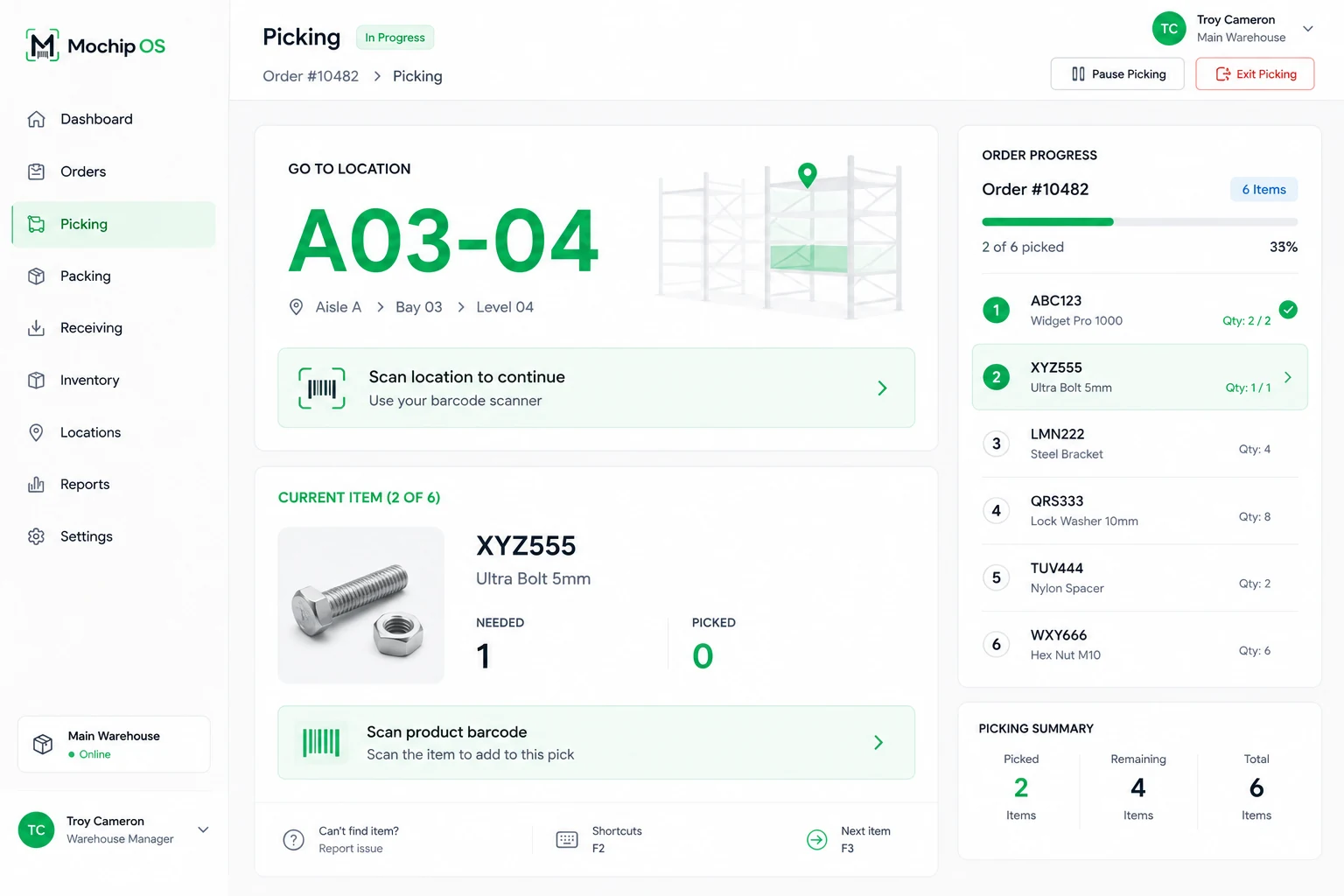
The picker is told where to go and scans the location to confirm they are there, then scans the product. What is needed and what has been picked sit side by side.
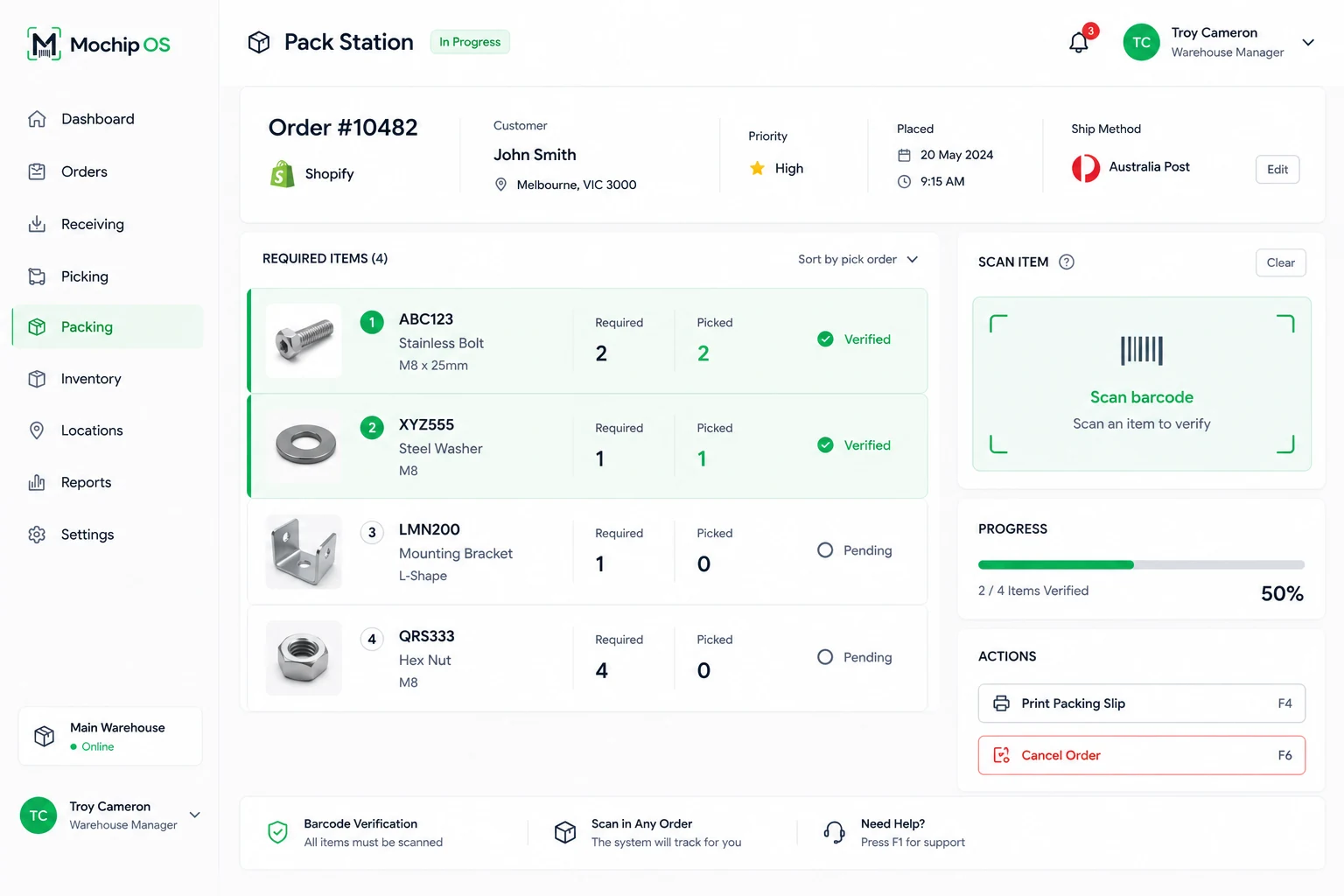
Each item is scanned to verify it. Verified lines are marked, pending lines stay open, and progress shows how much of the order has been checked.
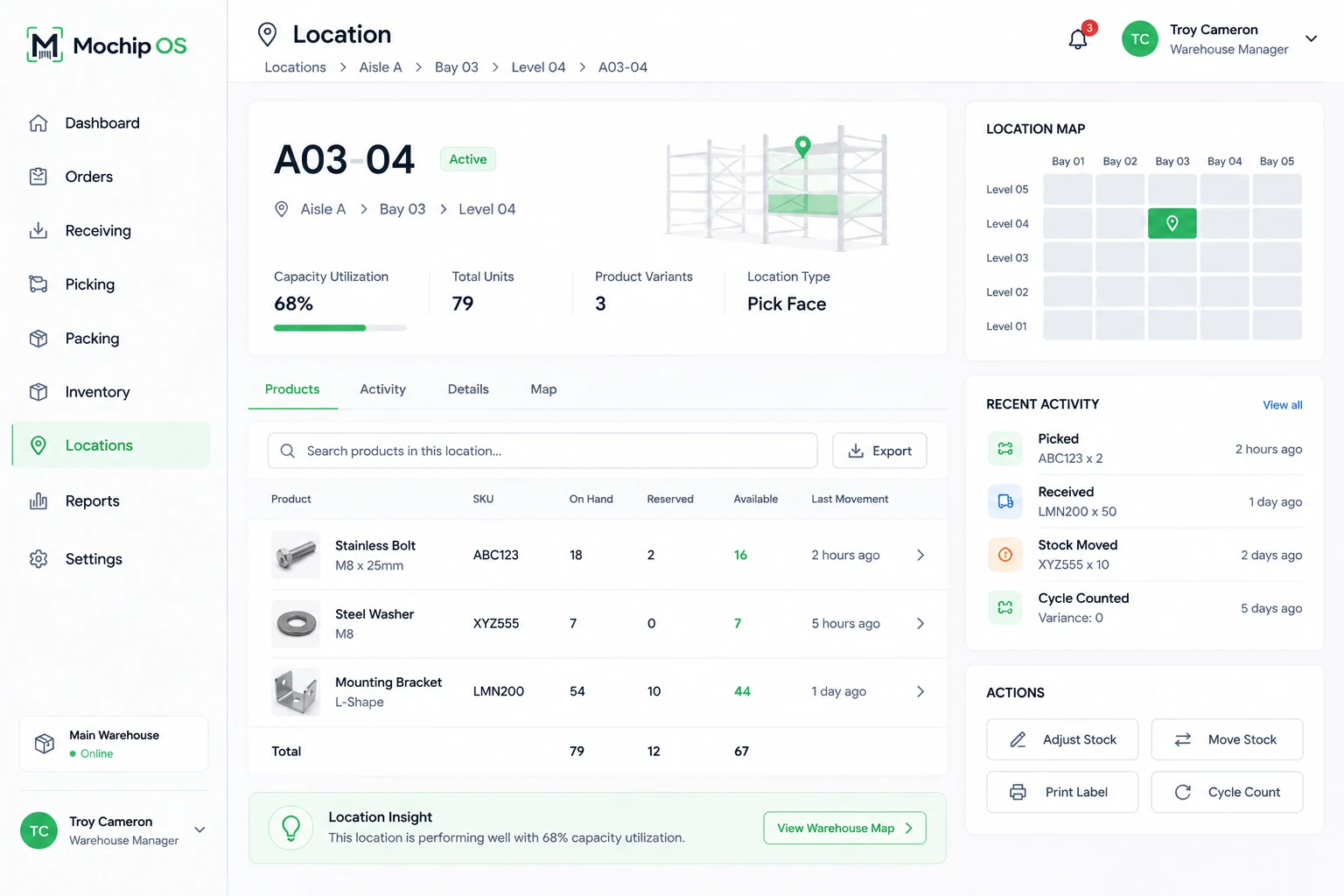
Aisle, bay and level, how full it is, the units and product variants it holds, and what kind of location it is — for any code in the building.
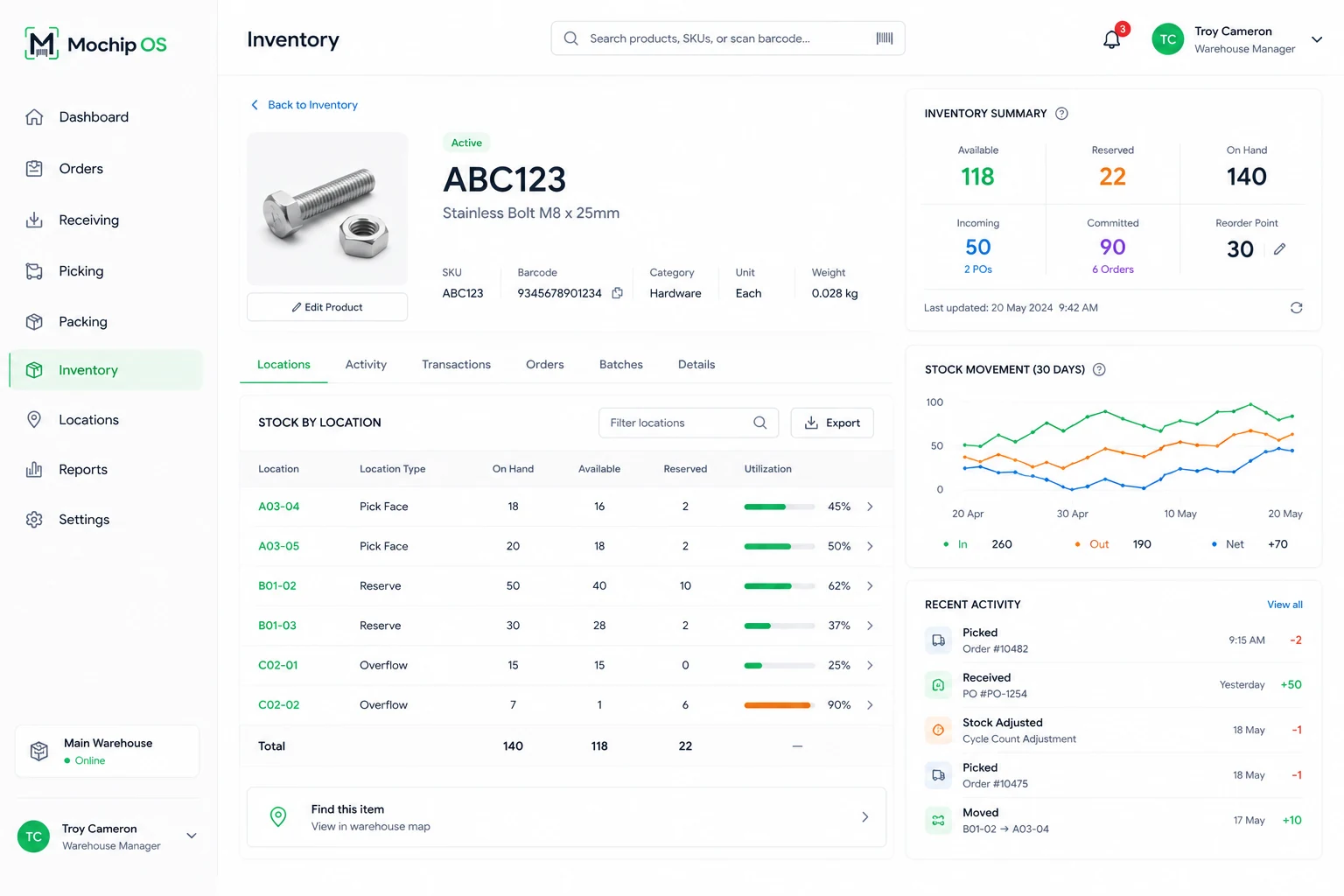
For each product: where it is, how much is on hand, available and reserved in each location, and how full those locations are.
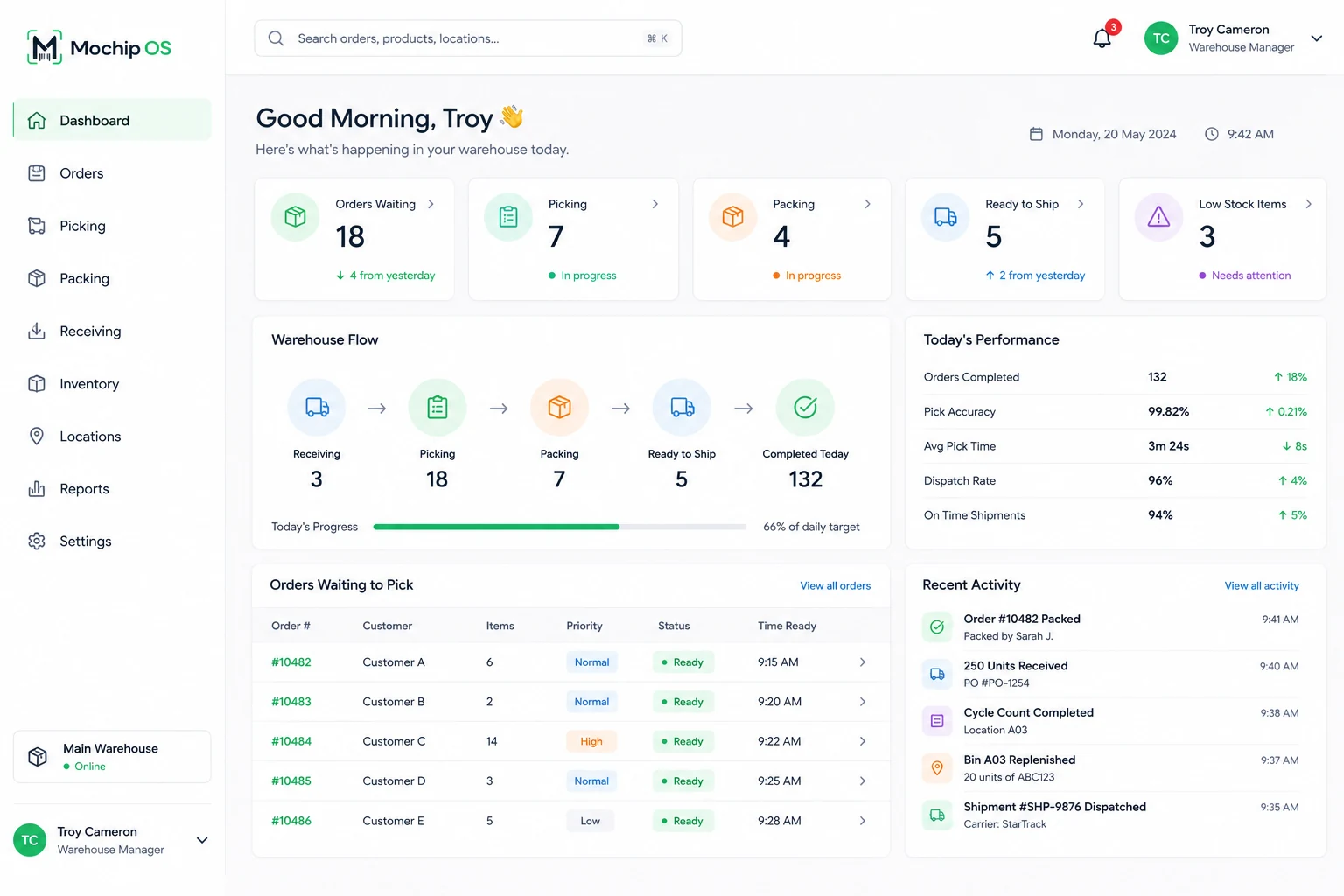
Orders waiting, being picked and being packed, and the flow from receiving through to ready to ship.
A location's recent picks, receipts, stock moves and cycle counts, beside the actions to adjust stock, move it, print a label or count it.
Integrations & hardware
Nothing is listed here as working until it is.
The first major e-commerce integration planned for Mochip OS. It is not live yet.
PlannedMochip OS is built around barcode scanning. The scanners and printers in your warehouse are checked during discovery and setup rather than promised from a list.
Confirmed per warehouseTell us what your orders, stock and shipping run through now, and we will be straight about what Mochip OS can and cannot connect to.
Ask usGetting started
Mochip OS is implemented hands-on rather than sold as sign-up-and-go software. This is the shape of it; how long each step takes depends on the warehouse.
How your warehouse works today: products, orders, people and the systems around them.
Your warehouse set up in Mochip OS.
Aisles, bays and levels created as locations, each with its own code.
Accounts for the people who will work in it.
Your SKUs and product data brought in.
Product and location barcodes configured so every scan resolves.
Receiving, picking, packing and dispatch set up to match how your floor runs.
Workflows run end to end before anyone depends on them.
Your team shown the screens they will use.
Mochip OS becomes the system the floor runs on.
We stay involved after go-live.
Model
Put your own numbers in. Mochip Labs supplies none of them — the improvement percentages are yours to set, and the full arithmetic is printed underneath.
Until you fill these in the model leaves them out, rather than guessing for you.
These are the only levers that decide whether the model returns a big number or a small one, so we have left them entirely to you. The figures below are example starting points, not our estimates — set them to what you believe a structured, barcode-first workflow is worth in your operation, or set them to zero and the model returns nothing.
Deliberately excluded: software cost, implementation effort, hardware, and any benefit we cannot derive from a number you typed in. A real business case needs all four, and that is a conversation rather than a slider.
Mochip Labs
Mochip OS is the first product from Mochip Labs, a New Zealand warehouse-software company. Tell us how your warehouse works.